Choose a known provider or custom server
Start from a prepared provider profile or enter the server information supplied by your administrator.
Use popular providers or custom servers, keep the hostname and account identity visible, and expose only the operations supported by that protocol and server implementation.
For Fastmail, Nextcloud, self-hosted, privacy-focused, and standards-based users who need more than a branded provider button.

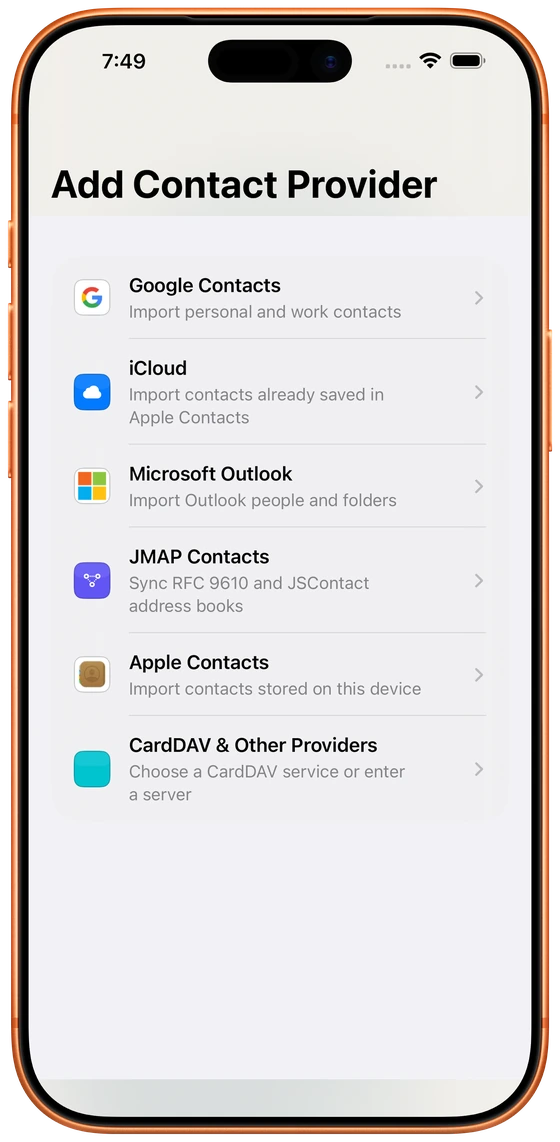
CardDAV and JMAP describe different models for discovering, reading, and updating contact data. Cloud Contacts keeps authentication, server URL, TLS expectations, and supported operations attached to the configured account instead of pretending every server behaves identically.
Start from a prepared provider profile or enter the server information supplied by your administrator.
Secure URLs are expected; non-secure custom endpoints require an explicit warning and user approval.
Contact fields, groups, write-back, push behavior, and discovery vary between CardDAV and JMAP implementations.
Choose a prepared provider or configure the custom host, account identifier, and authentication method.
Review the highlighted hostname, transport security, and discovered service capabilities before saving.
Use the fields and operations exposed by the server. If a future connection fails, return to the account setup to repair it.
JMAP support means the app has a JMAP protocol adapter; it does not mean every JMAP deployment exposes identical contact capabilities. The same caution applies to CardDAV servers and extensions.
Non-secure endpoints are clearly identified before the user approves and saves them.
The hostname remains prominent so users can verify which server will receive credentials and contact requests.
Protocol-specific adapters separate provider behavior from the rest of the contact model where practical.
No. JMAP is a protocol. A provider or self-hosted server may implement JMAP, and the available contact capabilities depend on that implementation.
No. They use different data and discovery models. Cloud Contacts exposes operations based on the connected adapter and server capabilities.
A non-secure custom URL should trigger a clear warning and require explicit approval. HTTPS is strongly preferred for credentials and contact data.
Connect a source, review what needs attention, and approve changes with a clear view of ownership.